

If you design district heating and cooling (DHC) networks, Comsof Heat was probably part of your toolkit for years. It automated the GIS-based mapping, pipe routing, feasibility testing and thermo-hydraulic simulation that manual methods could never match at scale.
Active development and new features have stalled, and planners are asking the obvious question: how long will my projects keep running, and what do I migrate to?
This guide walks through what actually matters in a Comsof Heat replacement, compare the alternatives planners genuinely evaluate — THERMOS, Hotmaps, ENEKA and Planeto — and show why most teams making a detailed-design migration are landing on Planeto.
Already convinced? See the full feature-by-feature breakdown on our Comsof Heat alternative comparison page.
The problem with Comsof Heat today
- No more updates. Bug fixes, new features and compatibility patches dry up. Each OS update becomes a risk that your install simply stops working.
- Support uncertainty. As the product might wound down, the depth of support you can rely on for live projects shrinks.
- Trapped data. Years of network designs, cost models and GIS layers sit in a format tied to a tool with a relative future. Migration only gets harder the longer you wait.
- Projects in flight. Tenders and designs still have to ship. You need a replacement that reads your existing work, not a year-long rebuild.
The good news: the methodology of district energy planning hasn't changed. You need a tool that speaks the same engineering language, imports your data, and lets your team keep moving.
What to look for in a Comsof Heat alternative
Not every "energy planning tool" is built for the rigour of detailed network design. Many are strategic screening tools that stop at a heat-demand map. As you evaluate alternatives, weigh them against the capabilities that made Comsof Heat useful in the first place — and the modern features that legacy desktop software never offered.
Must-haves to match Comsof Heat:
- GIS-based automated network design — connect buildings, generate transport and distribution layouts automatically, not by hand.
- Pipe sizing & thermo-hydraulic simulation — sizing against pressure, velocity and temperature constraints. Without this, it's a feasibility toy, not a design tool.
- Deployment cost models & bill of materials — granular CAPEX/OPEX (trench, equipment, service connections) and a procurement-ready BoM.
- Data migration — it must import your GIS files and existing designs. Ask every vendor directly: how does my Comsof Heat data get in?
Differentiators worth migrating for:
- Cloud / SaaS — no installation, no version management, continuous updates.
- 5th generation (5G) DHC — native loop and meshed topologies for anergy rings and low-temperature networks.
- Real-time collaboration — your team and clients on the same live data.
- AI-assisted workflows — feasibility and design accelerated by an integrated assistant.
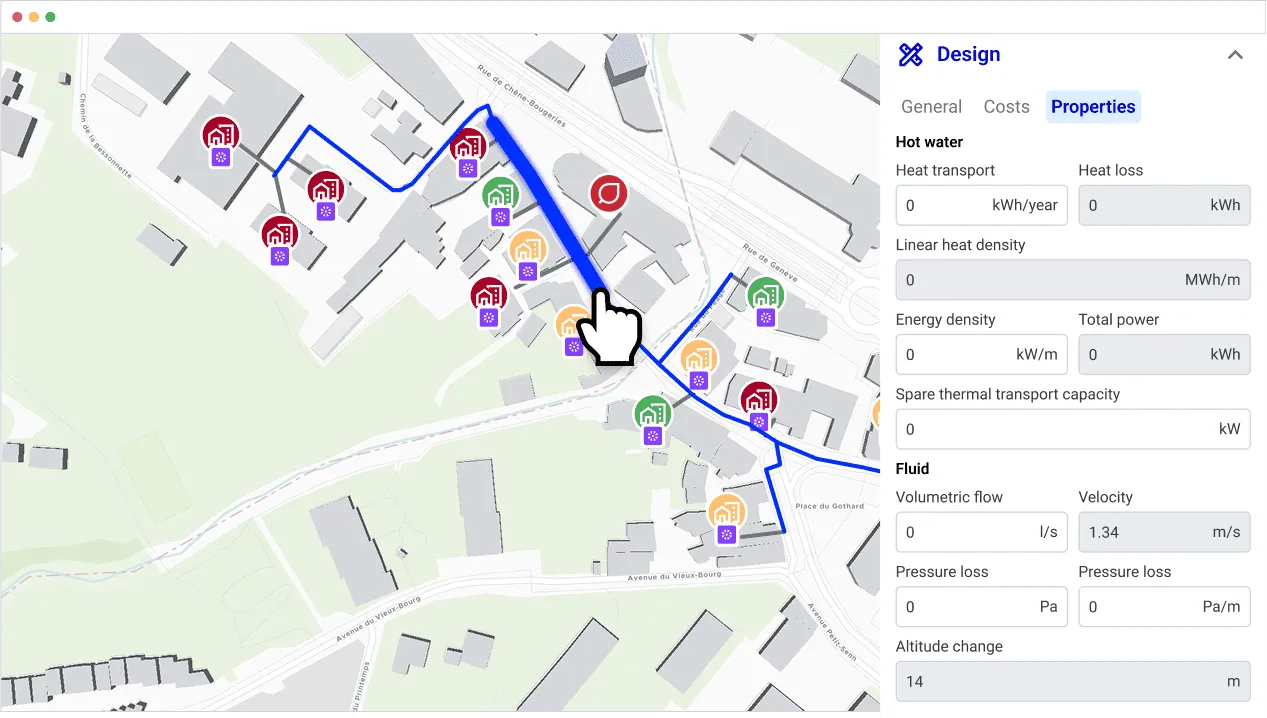
Top Comsof Heat alternatives compared
A key thing to understand up front: most tools marketed for "heat planning" are strategic / pre-feasibility tools. They're excellent for mapping demand and screening where a network could go — but they don't carry a project through to a buildable, costed design. Only a few are genuine detailed-design replacements for Comsof Heat. We've flagged which is which.
1. Planeto — the detailed-design replacement
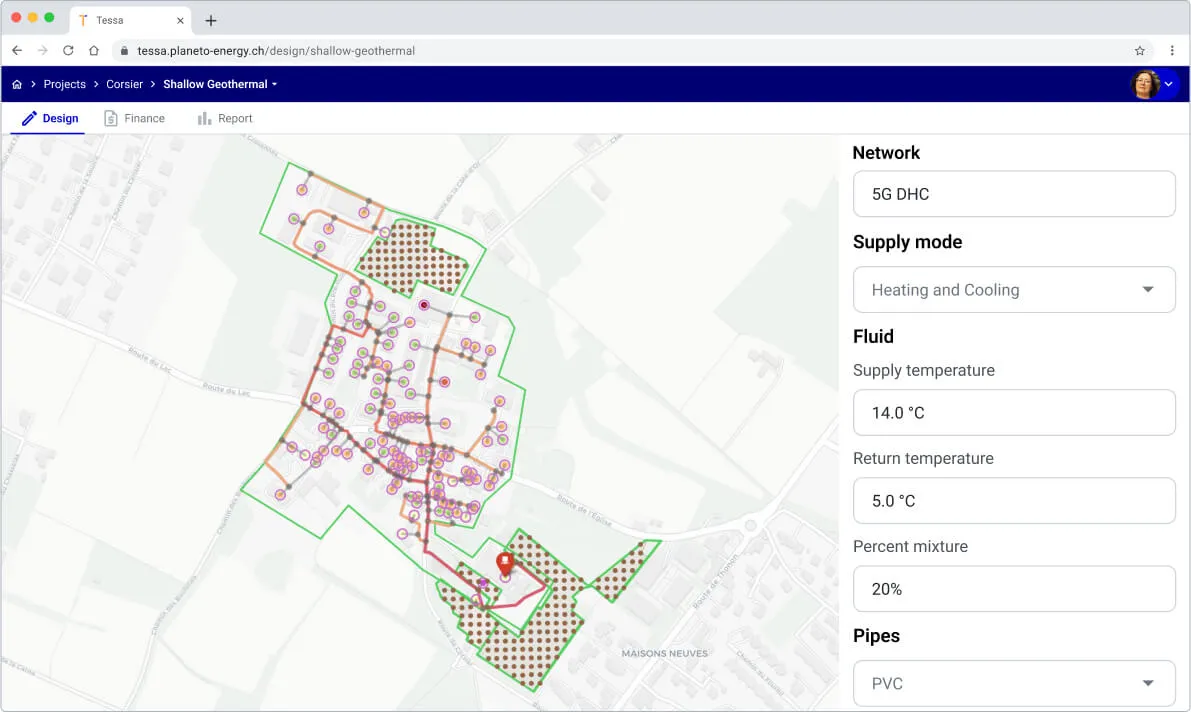
Planeto (TESSA) is a cloud-based DHC design platform built by the same community of district energy experts who know exactly what Comsof Heat did well. It's the closest like-for-like replacement for detailed network design — and it goes further.
Comsof Heat workflows Planeto matches:
- GIS-based automated distribution network design
- Pipe sizing with pressure, velocity and service-connection constraints
- Full deployment cost models (trenching to equipment) with CAPEX/OPEX
- Bill of materials, ready for procurement
- Heat delivery units, demand configuration and simultaneity factors
- 2-layer transport/distribution and multi-source networks
- GIS file import and cloud-based calculations
What Comsof Heat users gain on top:
- Cloud SaaS — no install, no IT overhead, always up to date.
- Native 5G loop & meshed networks — anergy rings and multi-injection-point systems Comsof Heat was never built for.
- Real-time collaboration — share scenarios with colleagues and clients instead of emailing project files.
- AI-assisted feasibility & design — accelerate the repetitive work.
- Migration support — the Planeto team audits and transfers your existing Comsof Heat projects, GIS files and cost models.
Best for: teams replacing Comsof Heat for real, buildable network design.
Pricing: commercial SaaS (free trial to start).
Limitation: a commercial tool, not free/open-source like the strategic options below.
2. THERMOS — free strategic network optimisation
THERMOS is a free, open-source, web-based tool from an EU Horizon 2020 project (led by the Centre for Sustainable Energy). It does address-level heat and cold demand modelling and optimises which buildings to connect and how to route a network — fast, and available almost anywhere in the world, with 1,400+ users and 3,000+ projects.
Best for: early-stage screening, scenario comparison and academic / pre-
feasibility studies.
Pricing: free, open-source.
Limitation: it's a
strategic optimisation tool — it does not deliver detailed thermo-hydraulic
design, granular bill-of-materials, or the engineering depth needed for a final,
buildable design. Useful before Comsof Heat's job, not a replacement for it.
3. Hotmaps — open-source heat mapping & master planning
Hotmaps is an open-source toolbox (Horizon 2020, Fraunhofer ISI and partners) that ships default heating and cooling data for the whole EU. It excels at demand-density mapping and strategic heat supply analysis from building to region scale.
Best for: municipal and regional master planning, policy work and identifying
priority areas.
Pricing: free, open-source.
Limitation: Hotmaps is a
mapping and strategic-planning toolbox — there's no automated pipe routing,
hydraulic sizing or bill of materials. It tells you where a network makes
sense, not how to engineer it.
4. ENEKA.Energieplanung — municipal heat planning (DACH)
ENEKA.Energieplanung is a web-based GIS platform focused on kommunale Wärmeplanung (municipal heat planning), used in ~300 German municipalities. It models energy demand, renewables potential, costs, emissions and scenarios, with strong stakeholder-reporting features tuned to German regulatory heat-planning requirements.
Best for: municipalities and utilities producing regulatory heat plans,
primarily in Germany/DACH.
Pricing: commercial.
Limitation: it's a
strategic and transformation-planning tool for regional heat strategy — not a
detailed DHC network-design or thermo-hydraulic engineering tool, and its focus
is the German regulatory context.
Comsof Heat alternatives: at a glance
| Tool | Type | Detailed network design & sizing | Bill of materials | Cloud / SaaS | Pricing | Best for |
|---|---|---|---|---|---|---|
| Planeto | Detailed design | ✅ Yes | ✅ Yes | ✅ Yes | Commercial (free trial) | A true Comsof Heat replacement |
| THERMOS | Strategic optimisation | ❌ No | ❌ No | ✅ Yes | Free / open-source | Early screening & feasibility |
| Hotmaps | Strategic mapping | ❌ No | ❌ No | ✅ Yes | Free / open-source | Regional master planning |
| ENEKA | Municipal heat planning | ❌ No | ❌ No | ✅ Yes | Commercial | German regulatory heat plans |
The takeaway: THERMOS, Hotmaps and ENEKA are valuable — but as strategic tools that sit upstream of where Comsof Heat worked. If you need to replace the detailed engineering Comsof Heat actually did, Planeto is the only like-for- like option in this list, and it adds cloud, low-temperature network design and collaboration on top.
Migrating without losing momentum
A tool change doesn't have to mean a standstill. The smoothest Comsof Heat migrations follow four steps:
- Get a demo — see the platform run against your own projects.
- Data audit — review your existing Comsof Heat files and GIS data together.
- Migration — the Planeto team transfers your designs, GIS and cost models.
- Onboarding — your team is productive from day one.
Frequently asked questions
Is Comsof Heat being discontinued? Active development of Comsof Heat remains unsure. Planners should probably not count on future updates or long-term support and should start to think about a software migration.
What is the best alternative to Comsof Heat? For detailed, buildable network design, Planeto is the closest like-for-like replacement. For free strategic screening, THERMOS and Hotmaps are strong open-source options.
Are there free alternatives to Comsof Heat? Yes — THERMOS and Hotmaps are free and open-source, but they're strategic planning tools, not detailed design tools.
Can I migrate my Comsof Heat data? Yes. Planeto imports GIS files and offers a hands-on migration service for your existing projects and cost models.